
How to log in to Mogobet? | UK 2026 — Sign In and Registration
In our Mogobet betting site review, we briefly explain the registration process involved in creating an account with Mogobet, but there’s more to it. In this guide, we go into more detail on how to open an account, the requirements, and how to claim the welcome bonus that comes with opening an account, and much more. Read to the end to know how to get started with Mogobet.
Open an account at Mogobet: complete registration tutorial
The process to set up an account on the Mogobet website is the same as the mobile app, so this guide covers both the app and the website. It’ll only take about 5 minutes for you to complete the registration process, and here’s what the registration process looks like:
- 1
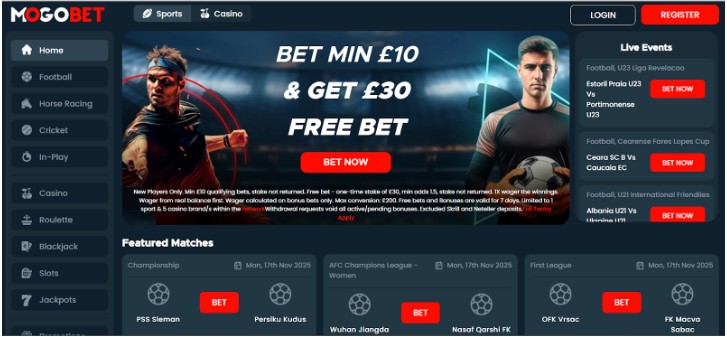
When you open the site or app, you’ll see a “Register” button. Click on it to go to the registration page

- 2
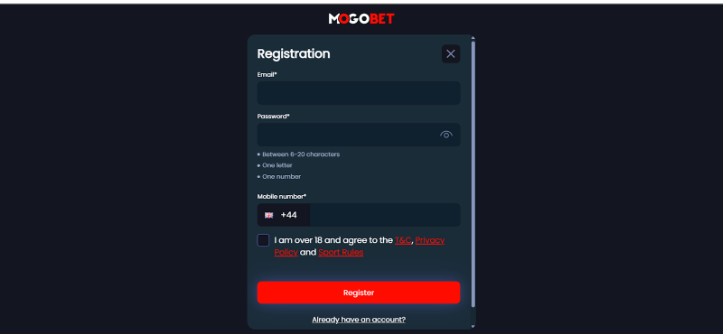
On the first registration page, you need to input your email, password, phone number, and accept the terms to continue.

- 3
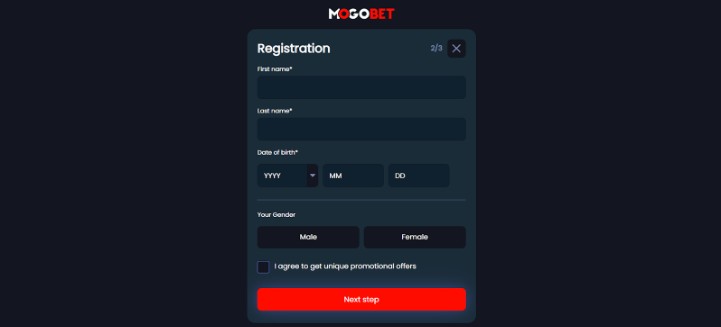
Followed by that is where you’ll be asked to add your first name, last name, Date of Birth, and gender, then continue.

- 4
Before the verification page, the last information you need to add is your physical address. Ensure it ties with what you have on your verification document

- 5
To have complete access, you’ll then need to verify your account with your credentials.
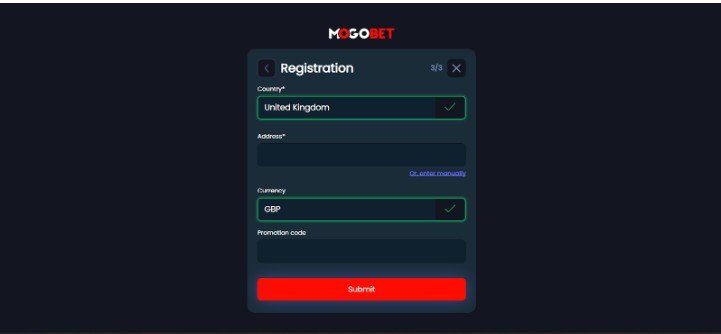
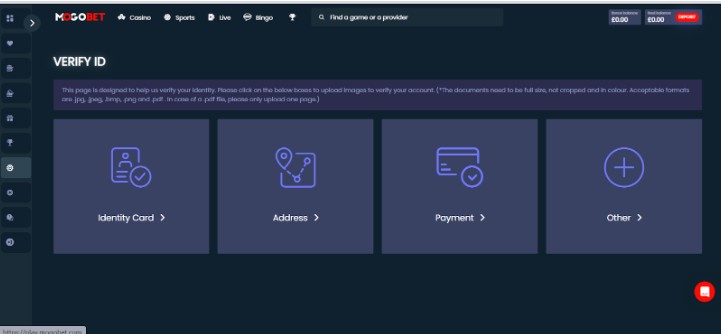
If you complete this process, you’ll have an account with Mogobet. In the later section, we’ll go into more detail on what you need to verify your account for full access.
Is it safe to register at Mogobet from the UK?
Additionally, Mogobet has mandatory identity verification to prevent underage gambling and fraud, and there’s also a responsible gambling section with links to support organizations.
Requirements to create an account at Mogobet
Before Mogobet grants you access to an account on their website, there are certain things that you must possess and be able to prove that you have. These requirements include:
- Age requirement: Before you’re allowed to own an account, you must be at least 18 years of age or older.
- Documentation Requirement: To verify the age, you’ll need to present Mogobet with either your UK Passport, Driving Licence, or National ID.
- Connectivity: To be able to reach you, Mogobet requires that you have a functional email address and a UK-registered mobile number. Although you still get to decide if you want to receive promotional messages through them.
- Finances: You must have a payment method that is in your own name. This will be used for processing deposits and withdrawals for you.
Identity verification process at Mogobet
For you to have complete access to your Mogobet account, you still have to complete verification when you finish signing up. When you’re signed in, click on the main menu on the left-hand side, and you’ll see the “account” option. Under it is the account verification. Click on it, and you’ll find separate sections for proof of address and proof of identity.
- Proof of Identity: To prove your identity, Mogobet accepts either an Identity Card, Passport, Driver’s License, CitizenCard (for UK citizens ), or any proof of ID issued by the government.
- Proof of Address: For proof of address, you need to upload your utility bill or bank statement no older than 3 months. The document must show the issue date, your name, and your address.
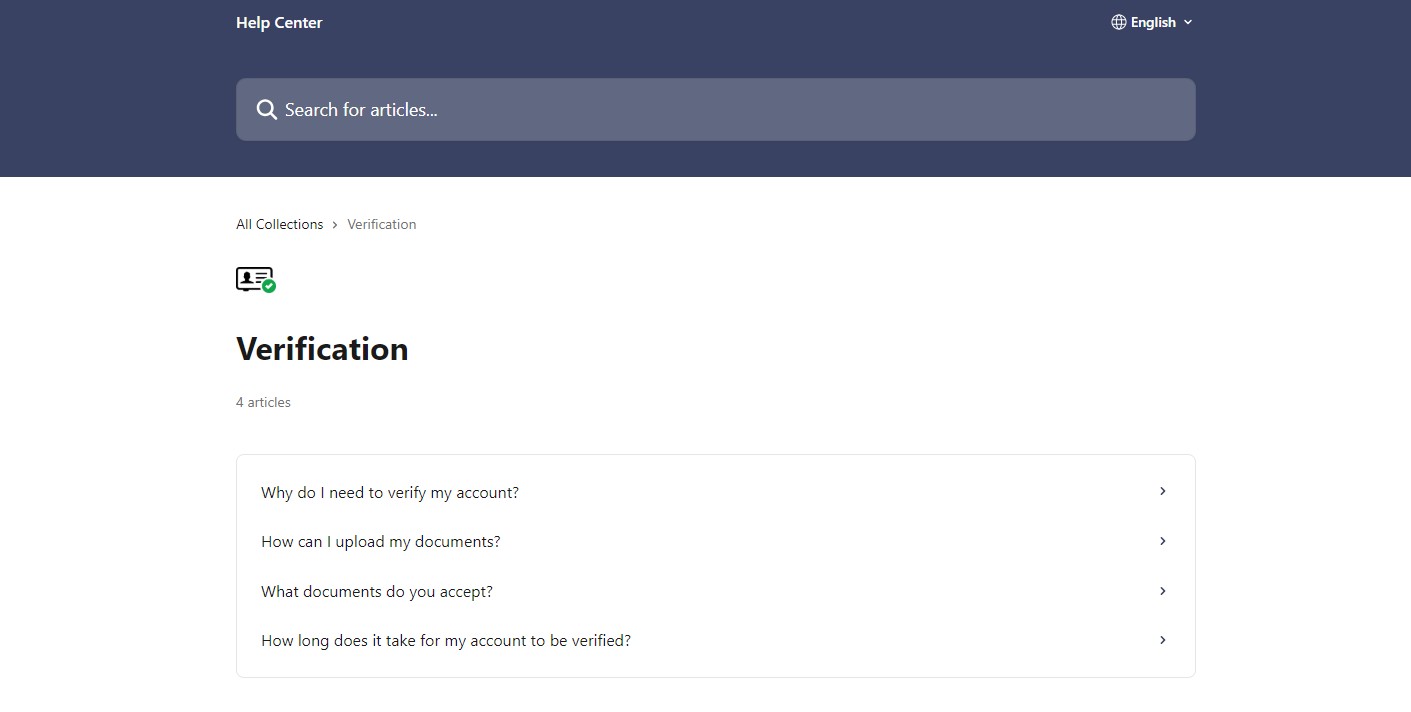
Once you submit the required documents, Mogobet will start the verification process, and it will be concluded within 24 hours. Making deposits on Mogobet does not require verification, but to withdraw, you’ll need to provide the above documents.
Can you register at Mogobet with a non-UK document?
Yes, EU/EEA national identity cards or international passports are accepted for identity verification on Mogobet. However, you have to be a legal resident in the UK to maintain an account.
Welcome offer at Mogobet: what do you get when you create an account?
Mogober offers newly registered players welcome bonuses, and that applies to both the casino and sportsbook players. You’re allowed to claim just one welcome bonus, so if your preference is the casino bonus, you can go for it, but if you’re more interested in the sportsbook, you can claim the welcome bonus for sports players.
Here’s a table showing the welcome bonus for casino and sportsbook players:
 Casino welcome bonus100% Up To £50 + Free Spins
- Sports welcome bonusBet £10 & Get a £30 Free Bet

How long does registration at Mogobet take?
Our registration process took less than 5 minutes to complete, and that’s excluding the verification process. For verification alone, we were able to upload the required documents in a few minutes, but most of the time was spent when Mogobet was reviewing our documents. The verification process took a few hours, but we got verified within 24 hours.
How to delete or close your account at Mogobet
If you wish to close your account permanently or just want to take a break from 6 months to up to 60 months, you are free to do so on Mogobet. Here’s what the process looks like:
- Log in to your account and click on the main menu
- On the main menu, click on account, then on “play responsibly.”
- Scroll down, and you’ll see an option to self-exclude. Click it.
- You can self-exclude for a minimum of 6 months and a maximum of 5 years.
That’s how you can self-exclude yourself from gambling, but if you want to permanently close your account, you can reach out to Mogobet support via live chat, and they’ll help you do that.
Conclusion: Is it worth registering at Mogobet in 2026?
If what you’re looking for is a bookmaker with credibility, ease of registration, and one with sign-up bonuses for casino and sports bettors, then Mogobet is worth considering. It is fully licensed by the UKGC, it uses SSL encryption that ensures that all your data is kept safe from attackers, and its operator has a good reputation.
